Android Solid Services
Single sign-in to Solid for Android. Solid Share holds the user's pod accounts. Every other app on the device reaches those pods through it — with a grant the user scoped, and without ever handling a credential.
For your app, that is one dependency and no authentication code at all.
-
Sign a user in and write to their pod, in about ten minutes.
-
The one decision to make up front. Takes a minute.
-
Contacts, sharing, resources, notifications — one page each.
-
The host app. For people who just want Solid on their phone.
-
Already using an older version? The route to 0.8.0, from wherever you are.
The problem
Solid gives people their own data. But on Android, every app that wants to use a pod has to become an identity client in its own right: run the OIDC flow, mint and rotate DPoP tokens, store them safely — and then the next app does all of it again.
The user signs in separately in each app. Each app's mistakes with those credentials are its own to make.
How this solves it
Solid Share owns the login. Tokens are DPoP-bound to keys generated in the Android Keystore, encrypted at rest, and they never leave that app. Other apps talk to it over AIDL and get results, never credentials.
The user signs in once, and decides for each app what it may do and where — the whole pod, a few folders, or one data module — at View, Add, Edit or Full access. They can narrow or revoke it at any time.
// The whole of your authentication code.
val authorize = registerForActivityResult(
    AuthorizeWithSolid(
        AccessRequest(level = AccessLevel.EDIT, targets = listOf(RequestedTarget.Path("notes/"))),
    ),
) { result ->
    if (result is SolidSignInResult.Authorized) onSignedIn(result.webId, result.grant)
}
What you get
Several accounts at once
Accounts from different pod providers, all signed in, all usable. Every call names the WebID it is for, so routing is explicit.
Access the user scopes
Ask for a level on the whole pod, on folders, or on a data module. Every verb is checked against what the user approved, and they can narrow it later.
Sharing that pods understand
View / Add / Edit access over Web Access Control or Access Control Policy, share links, and a Linked Data Notifications inbox for offers and requests.
Data modules, not just bytes
Contacts and tickets as standard RDF, laid out so other Solid apps read the same data.
The pieces
| Component | Role | Published |
|---|---|---|
| Solid Share | The app that holds the accounts and hosts the IPC services | Google Play · F-Droid |
client |
For apps that go through Solid Share | Maven Central |
api |
For apps that talk to pods directly | Maven Central |
host |
For apps that host the services themselves, as Solid Share does | Maven Central |
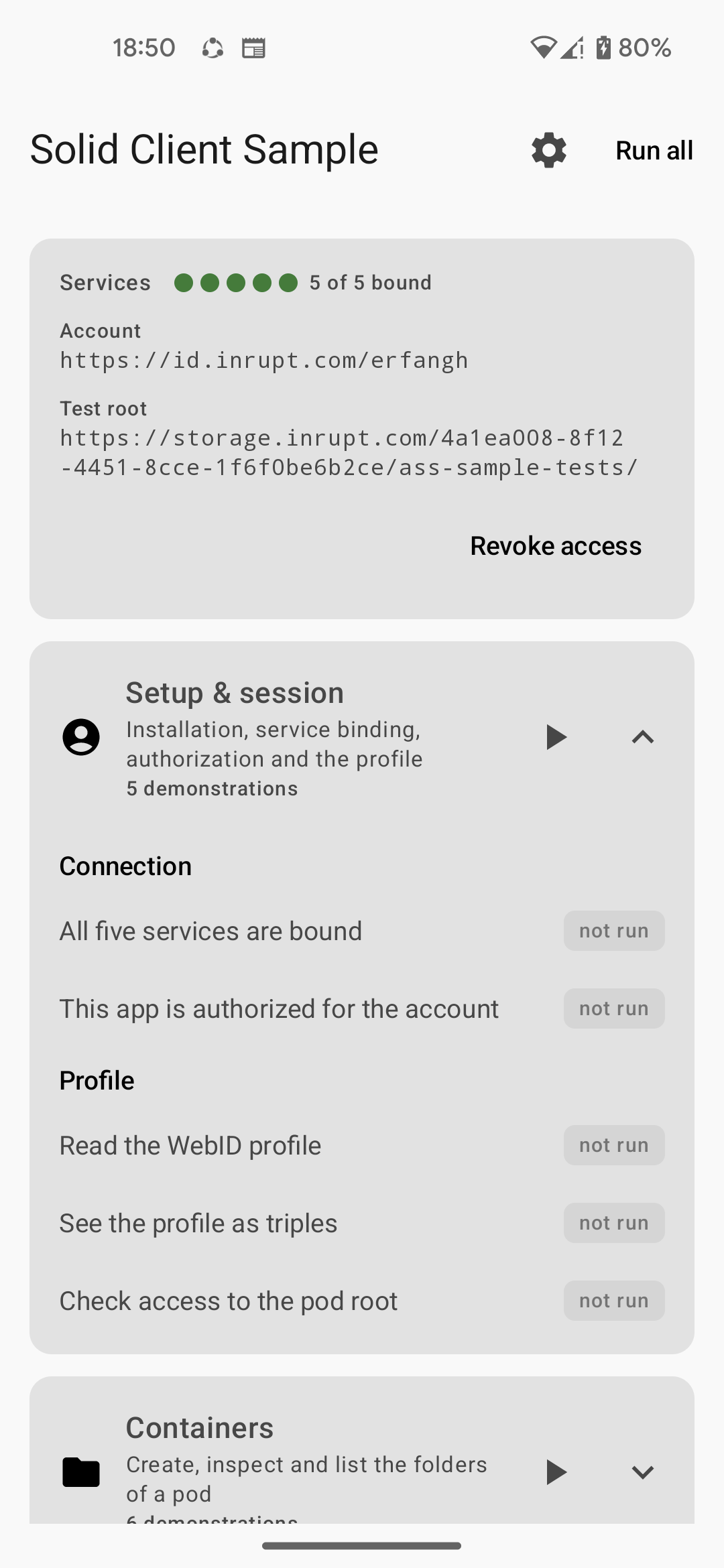
There is also a sample app that runs every SDK call against a live pod, each shown beside the code that made it — the fastest way to watch a call behave before you write it.
New to Solid?
Solid is an open standard, led by Sir Tim Berners-Lee, that puts people in control of their own data. Instead of living inside an app's servers, your data lives in a pod you own. Apps ask for permission to read or write it, and you can withdraw that permission at any time.
The result is that data and applications come apart: you can switch apps without losing anything, and two apps can use the same data without copying it between them.
Questions, bugs, contributions
Please open an issue — including compatibility reports against a particular pod server, which have led to several fixes. Contributing covers building from source.
Acknowledgments
Funded by NLnet.